
This is a serial2dds service for the Dex1_1 gripper.
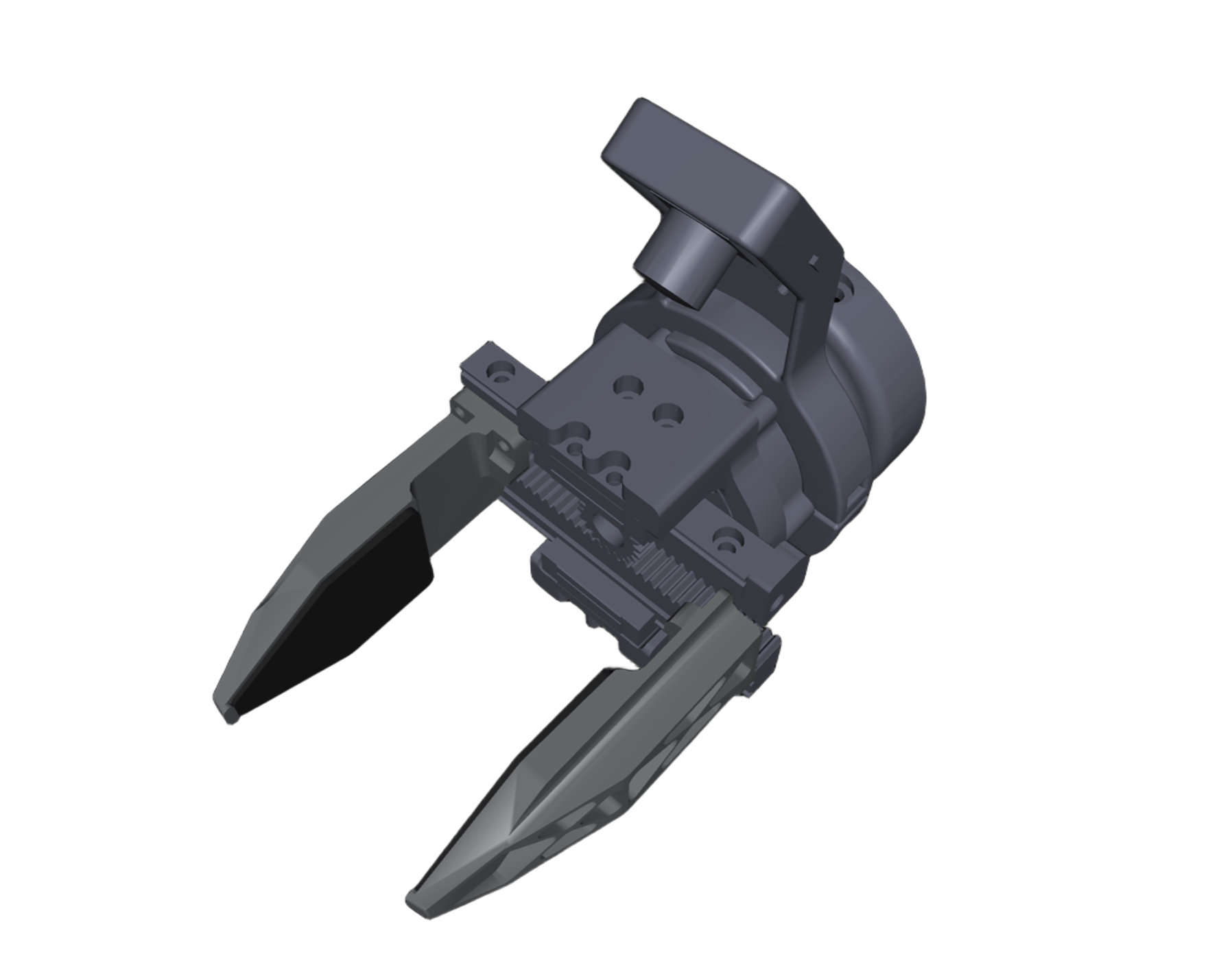
The Dex1_1 is a parallel two-finger gripper developed by Unitree. It uses a single unitree M4010 motor to drive the gripper.
# at user development computing unit PC2 (NVIDIA Jetson Orin NX board)
sudo apt install libspdlog-dev libboost-all-dev libyaml-cpp-dev libfmt-dev
cd ~
git clone https://github.com/unitreerobotics/dex1_1_service
cd dex1_1_service
mkdir build && cd build
cmake ..
make -j6# Run `sudo ./dex1_1_gripper_server -h` for details. The output will be:
# Unitree Dex1-1 Gripper Server:
# -h [ --help ] produce help message
# -v [ --version ] show version
# -n [ --network ] arg (=eth0) dds networkInterface
# -c [ --calibration ] calibrate the gripper motor
# start server
sudo ./dex1_1_gripper_server --network eth0
# Simplified (defaults apply)
sudo ./dex1_1_gripper_server
# Run `sudo ./test_dex1_1_gripper_server -h` for details. The output will be:
# Unitree Dex1-1 Gripper Server Test:
# -h [ --help ] produce help message
# -v [ --version ] show version
# -n [ --network ] arg (=eth0) dds networkInterface
# -l [ --left ] test left dex1 gripper
# -r [ --right ] test right dex1 gripper
# run test examples
sudo ./test_dex1_1_gripper_server --network eth0 -l -r
# Test only the left side or the right side individually.
sudo ./test_dex1_1_gripper_server --network eth0 -l
# or test only the right side or the right side individually.
sudo ./test_dex1_1_gripper_server -r💡 Note: When the motor ID is 0, it corresponds to the right gripper; when the ID is 1, it corresponds to the left gripper.
Close the gripper and run the following command to calibrate the gripper.
sudo ./dex1_1_gripper_server -cHere is an example output from a calibration process.
unitree@ubuntu:~/dex1_1_service/build$ sudo ./dex1_1_gripper_server -c
[2025-01-01 00:00:26.514] [info] Available Serial Ports: /dev/ttyUSB3, /dev/ttyUSB2, /dev/ttyUSB1, /dev/ttyUSB0
[2025-01-01 00:00:26.669] [info] Detected motors:
[2025-01-01 00:00:26.669] [info]   - Motor ID: 0         Side: Right     Port: /dev/ttyUSB2      cmdTopic: rt/dex1/Right/cmd     stateTopic: rt/dex1/Right/state
[2025-01-01 00:00:26.669] [info]   - Motor ID: 1         Side: Left      Port: /dev/ttyUSB1      cmdTopic: rt/dex1/Left/cmd      stateTopic: rt/dex1/Left/state
[2025-01-01 00:00:26.669] [info] ========== Motor Calibration (Motor 1 (index) of 2 (total)) ==========
[2025-01-01 00:00:26.669] [info]   - Motor ID: 0,        Side: Right,    Port: /dev/ttyUSB2
[2025-01-01 00:00:26.669] [info] Please manually close the gripper tightly.
                                 Then press 's' + Enter to calibrate, or any other key to skip.
>
You need to manually close the gripper tightly, just like shown in the picture.
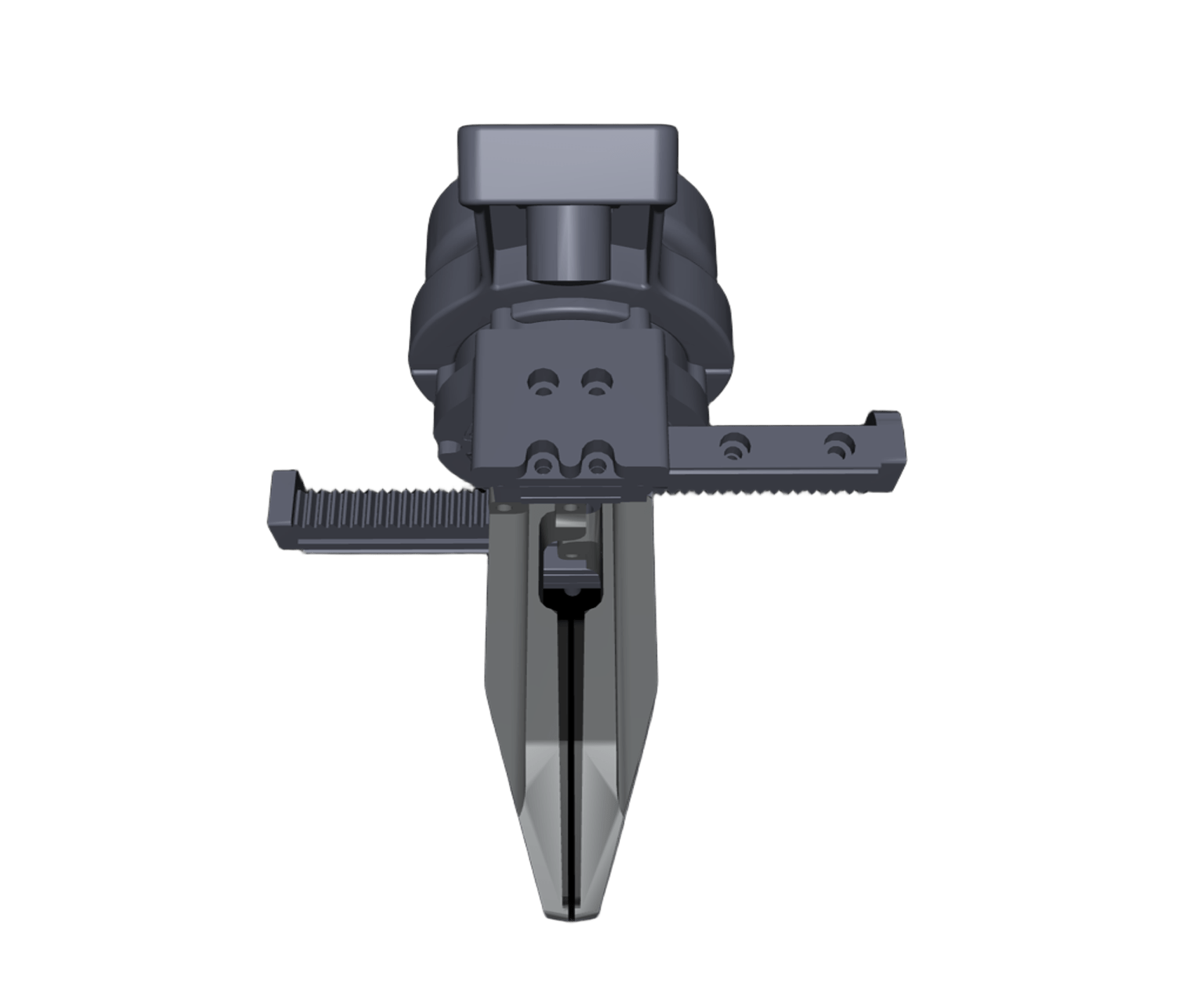
After closing it, press the s key and then Enter.
> s
[2025-01-01 00:00:28.024] [info] Calibrating motor 0...
Motor type: MotorType::M4010
Id: 0
Calibration successful!
[2025-01-01 00:00:28.042] [info] Motor 0 calibration successful.
[2025-01-01 00:00:28.042] [info] ========== Motor Calibration (Motor 2 (index) of 2 (total)) ==========
[2025-01-01 00:00:28.042] [info]   - Motor ID: 1,        Side: Left,     Port: /dev/ttyUSB1
[2025-01-01 00:00:28.042] [info] Please manually close the gripper tightly.
                                 Then press 's' + Enter to calibrate, or any other key to skip.
>
Same as the previous step, continue calibrating the second one.
> s
[2025-01-01 00:00:28.881] [info] Calibrating motor 1...
Motor type: MotorType::M4010
Id: 1
Calibration successful!
[2025-01-01 00:00:28.903] [info] Motor 1 calibration successful.
[2025-01-01 00:00:28.903] [info] Calibration process completed.
Check results.
unitree@ubuntu:~/dex1_1_service/build$ sudo ./test_dex1_1_gripper_server -l -r
# The gripper’s initial position should be near zero.
[2025-01-01 00:00:13.776] [info] Right gripper init at q = 0.001
[2025-01-01 00:00:14.978] [info] Left gripper init at q = 0.000
R= 0.508 L= 0.502After completing the above setup and configuration, and successfully testing dex1_1_gripper_server, you can configure the dex1_1_gripper_server to start automatically on system boot by running the following script:
bash setup_autostart.shFollow the prompts in the script to complete your configuration.
- Error when
make -j6:This error mentions that the unitree_sdk2 headfile could not be found. First compile and install unitree_sdk2:unitree@ubuntu:~/dex1_1_service/build$ make -j6 Scanning dependencies of target dex1_1_gripper_server Scanning dependencies of target test_dex1_1_gripper_server [ 50%] Building CXX object CMakeFiles/test_dex1_1_gripper_server.dir/test/test_gripper.cpp.o [ 50%] Building CXX object CMakeFiles/dex1_1_gripper_server.dir/main.cpp.o /home/unitree/dex1_1_service/test/test_gripper.cpp:1:10: fatal error: unitree/idl/go2/MotorCmds_.hpp: No such file or directory 1 | #include <unitree/idl/go2/MotorCmds_.hpp> | ^~~~~~~~~~~~~~~~~~~~~~~~~~~~~~~~ /home/unitree/dex1_1_service/main.cpp:1:10: fatal error: unitree/idl/go2/MotorCmds_.hpp: No such file or directory 1 | #include <unitree/idl/go2/MotorCmds_.hpp> | ^~~~~~~~~~~~~~~~~~~~~~~~~~~~~~~~ compilation terminated. compilation terminated.
cd ~
git clone https://github.com/unitreerobotics/unitree_sdk2
cd unitree_sdk2
mkdir build & cd build
cmake ..
sudo make install
- Error when
sudo ./dex1_1_gripper_server:The two situations described above are:unitree@ubuntu:~/dex1_1_service/build$ sudo ./dex1_1_gripper_server [2025-08-14 09:56:53.595] [info] Available Serial Ports: /dev/ttyUSB3, /dev/ttyUSB2, /dev/ttyUSB1, /dev/ttyUSB0 [2025-08-14 09:56:54.339] [error] Motors not found after multiple attempts. # or unitree@ubuntu:~/dex1_1_service/build$ sudo ./dex1_1_gripper_server [2025-08-14 09:58:12.010] [info] Available Serial Ports: [2025-08-14 09:58:12.010] [warning] No ttyUSB serial ports found.
- The gripper power is not connected.
- The gripper serial board (which connects to the G1 USB port) is not connected.