A Spacelift plugin that automatically creates Jira issues for Terraform/OpenTofu plans when estimated infrastructure costs exceed a configurable threshold. The plugin integrates with Jira, Infracost, and Spacelift Flows to provide automated approval workflows based on infrastructure cost estimates.
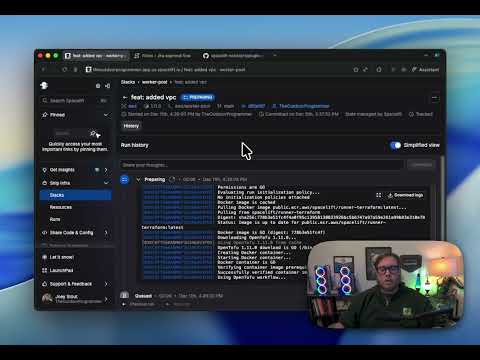
- Automatic Jira issue creation for Terraform/OpenTofu plans
- Cost-based thresholds using Infracost integration
- Detailed plan summaries with resource change tracking
- Cost estimates with historical comparison
- Automated approval workflows via Spacelift Flows
- JWT-based webhook security for Jira integration
- Spacelift policy integration for cost control
- After a Terraform/OpenTofu plan runs in Spacelift, the plugin generates a cost estimate using Infracost
- If the estimated monthly cost exceeds the configured threshold, a Jira issue is created automatically
- The Jira issue contains detailed information about planned changes, cost estimates, and a link back to the Spacelift run
- A Spacelift Flow monitors the Jira issue for status changes
- When the Jira issue is moved to an approved or denied status, the Flow automatically approves or rejects the Spacelift run
- Spacelift policies enforce the approval requirements based on cost thresholds
- Spacelift account with plugin support
- Jira Cloud instance
- Spacelift Flows account
- Infracost API key
- OpenTofu or Terraform
See the example directory for a complete working configuration.
module "jira_approval" {
  source = "github.com/spacelift-solutions/plugin-jira-approval"

  stack_label          = "jira"
  signing_key          = var.signing_key
  spacelift_api_key_id = var.spacelift_api_key_id

  jira = {
    url             = "https://yourcompany.atlassian.net"
    email           = "your-email@company.com"
    api_token       = var.jira_api_token
    project_key     = "INFRA"
    custom_field_id = "customfield_10082"
  }

  infracost = {
    threshold = 100  # Dollar amount
    api_key   = var.infracost_api_key
  }

  flows = {
    project_id       = "your-flows-project-id"
    jira_app_id      = "your-jira-app-id"
    spacelift_app_id = "your-spacelift-app-id"
  }
}Complete these steps to configure the integration. These manual steps are required to collect IDs and credentials that cannot be automated.
Create a field to store Spacelift stack information on Jira issues:
- Go to your project's
Space Settings 
- In the left navbar, select
Fields - Click
Add Field→+ Create new field - Name:
Spacelift Info - Field Type:
Short Text - Click
Create Field

Find the internal field ID that Jira assigned to your custom field:
- Open any issue in your Jira project
- Right-click anywhere on the page and select
Inspectto open DevTools - In DevTools, go to the
Networktab and clear the history (click the⃠button in the top left) - Click the
editbutton on theSpacelift Infofield you just created - In the Network tab, you should see a request like
{number}/?operation={randomletters}- click on it - In the request details panel, go to the
Responsetab - Copy the
fieldIdvalue from the JSON response 
- Save this value - you'll use it for
jira.custom_field_idin the module config

Create a new project in Flows:
- After creating the project, copy the project ID from the URL (format:
0197b19a-cd01-7cf7-bc99-6699879cc49e) - Save this value - you'll use it for
flows.project_idin the module config
Add the Jira Registry app to your Flows project:
- In your Flows project, go to the Apps section and add the
JiraRegistry app - Follow the setup instructions in the app's
configscreen (shown on the right side) - When creating the Jira Webhook, ensure
Issue Updatedis checked - During setup, you'll create a Jira API token - save this for
jira.api_tokenin the module config - After installation, copy the app ID (visible in the app details) and save it for
flows.jira_app_idin the module config
Add the Spacelift Registry app to your Flows project:
- In your Flows project, add the
SpaceliftRegistry app from the Registry - Copy the app ID and save it for
flows.spacelift_app_idin the module config - Save the api key id from spacelift for
spacelift_api_key_idin the module config
Generate an API key for cost estimation:
- Go to infracost.io and create an API key
- Save this value - you'll use it for
infracost.api_keyin the module config
Create a secret to verify webhook authenticity:
- Generate a random string (e.g., using
openssl rand -hex 32) - In your Flows project, create a secret called
JWT_SECRETwith this value - Use the same value for
signing_keyin the module config
Create secrets for Jira status transitions:
- In your Flows project, create a secret called
JIRA_APPROVED_STATUSand set it to the status name you want for approved runs (e.g.,DoneorApproved) - Create a secret called
JIRA_DENIED_STATUSand set it to the status name you want for denied runs (e.g.,RejectedorCancelled)
Configure the module with all the values you collected above and apply it:
tofu apply- Spacelift Plugin: Runs after each plan to generate cost estimates and create Jira issues
- Jira Integration: Stores plan details and cost estimates in structured issues
- Spacelift Flows: Monitors Jira issues and triggers approval/rejection actions
- Spacelift Policies: Enforces cost thresholds and approval requirements
graph TD
    A[Spacelift Plan] --> B[Infracost Analysis]
    B --> C{Cost Check}
    C -->|Above Threshold| D[Create Jira Issue]
    C -->|Below Threshold| E[Skip Issue Creation]
    D --> F[Issue Created]
    F --> G[Flows Monitoring]
    G --> H{Status Change}
    H -->|Approved| I[Spacelift Approval API Call]
    H -->|Denied| J[Spacelift Rejection API Call]
    I --> K[Policy Evaluation]
    J --> K
    K -->|Pass| L[Proceed with Run]
    K -->|Fail| M[Block Run]
- Jira API tokens are stored securely in Spacelift as sensitive parameters
- Webhook requests are authenticated using JWT tokens signed with a shared secret
- The signing key should be a cryptographically secure random string
- All sensitive values should be stored in your Spacelift workspace as encrypted environment variables
You can customize the Jira issues created by the plugin:
jira.issue_type: The type of issue to create (default: "Task")jira.assignee: Account ID of the user to assign issues tojira.labels: Additional labels to add to issues (beyond the default "TF" and "spacelift" labels)jira.initial_status: Initial status for created issues
- Check that the Infracost threshold is set correctly
- Verify that the Jira API token has permission to create issues in the project
- Check Spacelift run logs for error messages from the plugin
- Set SPACELIFT_DEBUG=true in your Spacelift stack to enable debug logging
- Verify that the Jira webhook is configured correctly and includes "Issue Updated" events
- Check that the
JIRA_APPROVED_STATUSandJIRA_DENIED_STATUSsecrets match your Jira workflow statuses exactly - Verify the signing key matches between Spacelift and Flows
- Ensure Infracost is properly configured with a valid API key
- Check that your Terraform/OpenTofu configuration includes resources with cost data in Infracost
- Review the Spacelift run logs for Infracost execution errors
Contributions are welcome. Please open an issue or pull request with your suggested changes.
This project is licensed under the MIT License - see the LICENSE file for details.
For issues and questions:
- File an issue in this repository
- Contact Spacelift support for Spacelift-specific issues
- Check the Spacelift documentation for plugin documentation