
angular-lightweight-markdown-editor is extremely light weight editor (v0.2.0 12kb including styles) for markdown. It doesn't use any fancy text editors but just that basic textarea.
Requires only angular.js and angular-sanitize.js libraries.
Editor displays preview if showdown.js is included in to the project.
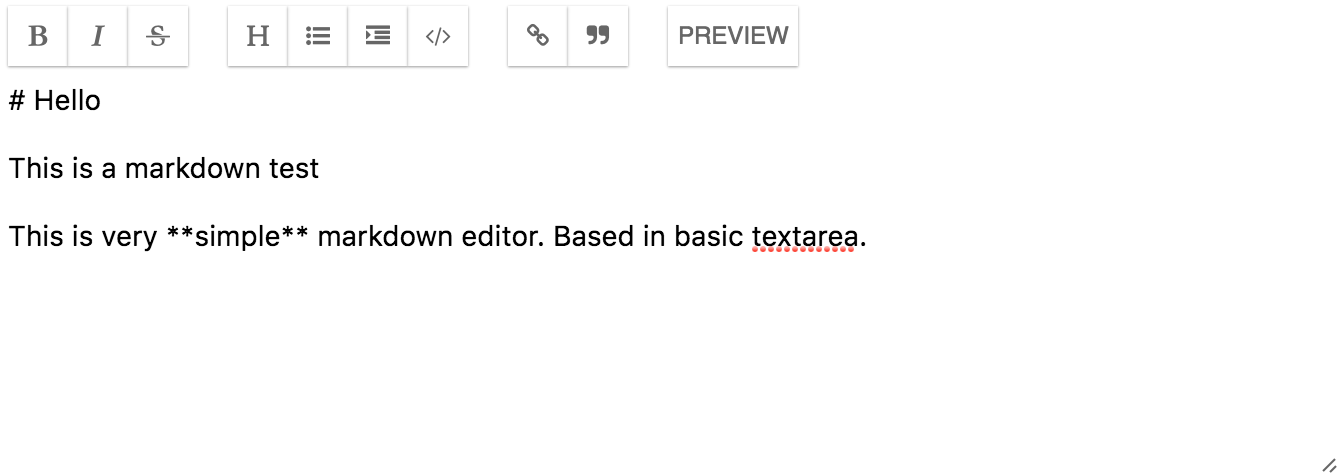
Install using bower
bower install angular-lightweight-markdown-editor
Include CSS and JS to project
<link  href="angular-lightweight-markdown-editor/dist/angular-lightweight-markdown-editor.css" rel="stylesheet">
<script src="angular-lightweight-markdown-editor/dist/angular-lightweight-markdown-editor.min.js"></script>
Add dependecy to your angular application
angular.module("myapp", [
    "ngSanitize",
    "angular-lightweight-markdown-editor"
]);
Include editor into your html
<markdown-editor></markdown-editor>
| Parameter | Description | Default |
|---|---|---|
| ng-model | Data model to use in textarea | |
| options | Settings for editor. See options. | |
| text-preview | Button text for preview | Preview |
| text-propose-text | Prompt text to as link text | Please provide link text |
| text-propose-link | Prompt text asking for link url | Please provide link URL |
| show-preview | Control preview showing with external value | false |
| name | Default textarea parameter | |
| required | Default textarea parameter | |
| minlength | Default textarea parameter | |
| maxlength | Default textarea parameter | |
| placeholder | Default textarea parameter | |
| selectionDirection | Default textarea parameter | |
| selectionStart | Default textarea parameter | |
| selectionEnd | Default textarea parameter | |
| spellcheck | Default textarea parameter |
| Key | Type | Description | Default |
|---|---|---|---|
| controls | Array of strings | Controls to display in toolbar | [ "bold", "italic", "strikethrough", "separator", "heading", "bullets", "indent", "code", "separator", "link", "quote", "separator", "preview" ] |
Fork, git clone, push and send pull request.
To get started:
> npm install && bower install
To build release version while developing. This will watch and do release build constantly.
> gulp
To run and test you need to start web server in root of project.