


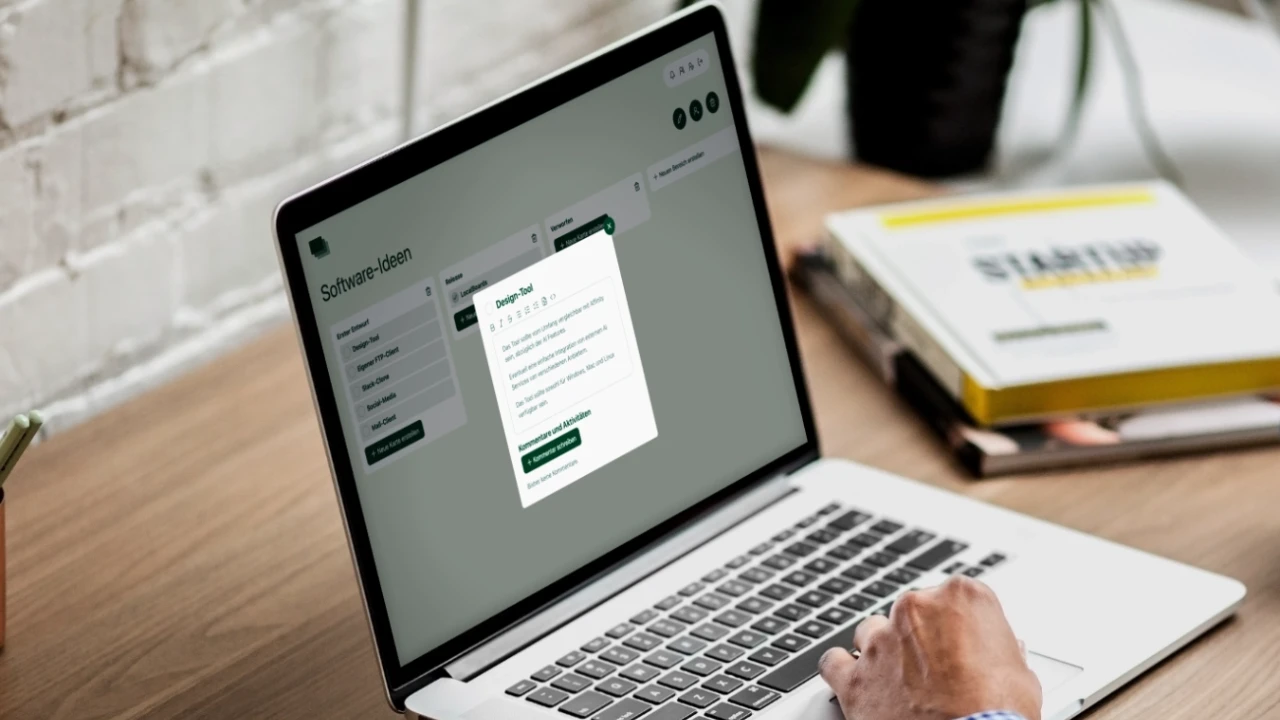
LocalBoards is an open-source (MIT License), self-hosted Kanban board system. It allows users to create boards, invite collaborators, and manage Kanban cards. It also includes admin features for user management. All data is stored in your own database, with no reliance on external services.
We support real-time multiplayer updates. When you edit a card, area, or rename it, the changes are instantly reflected for all users viewing the board. Comments on cards are also updated in real-time across all browsers. This is powered by an internal Socket.IO integration.
LocalBoards is currently available in the following languages: English (EN), German (DE), French (FR), Spanish (ES), Italian (IT), Dutch (NL), and Polish (PL).
To install LocalBoards, follow these steps:
git clone https://github.com/florian-strasser/LocalBoards
cd LocalBoardsnpm installCreate a .env file (and optionally a .env.local file for local development) with the following settings. Adjust the values to match your database and email configuration.
# App Name
NUXT_APP_NAME=LocalBoards
NUXT_BOARDS_URL=http://localhost:3000
NUXT_LANGUAGE=en
NUXT_PUBLIC_PRIVACY_URL=https://www.yourdomain.com/privacy-policy/

# DB
NUXT_MYSQL_HOST=localhost
NUXT_MYSQL_USER=root
NUXT_MYSQL_PASSWORD=root1234
NUXT_MYSQL_DATABASE=root
# Set NUXT_MYSQL_SSL=true if your database requires a TLS connection
# (common for managed/external MySQL). Optionally set
# NUXT_MYSQL_SSL_REJECT_UNAUTHORIZED=false if its certificate can't be
# verified against a public CA.

# Email Configuration
NUXT_EMAIL_HOST=mail.yourserver.de
NUXT_EMAIL_PORT=465
NUXT_EMAIL_SECURE=true
NUXT_EMAIL_USER=contact@yourdomain.com
NUXT_EMAIL_PASS=password1234npx nuxt buildMove the builded app from /.output to your favorite hosting solution, that is able to run a nodejs app.
node ./server/index.mjsPrebuilt images are published on Docker Hub:
https://hub.docker.com/r/localboards/localboards
The image contains only the LocalBoards app. You still need a reachable MySQL database — the required tables are created automatically on first start, so an empty database is enough. Configure the app through the same environment variables described in Configure Environment Variables.
docker pull localboards/localboards:latestPut your settings in a .env file (see the variables above) and start the
container. The app listens on port 3000, and uploaded files are stored in
/app/public/uploads, so mount a volume there to persist them:
docker run -d \
  --name localboards \
  --env-file .env \
  -p 3000:3000 \
  -v localboards_uploads:/app/public/uploads \
  localboards/localboards:latest
Then open http://localhost:3000 (or whatever you set as NUXT_BOARDS_URL).
The app exposes a public GET /api/health endpoint that returns 200 with
{ "status": "ok", "database": "ok" } when the app is running and can reach its
database, or 503 if the database is unreachable. The Docker image already
declares a HEALTHCHECK against it, so docker ps / orchestrators show the
container's health automatically — no extra configuration needed.
For a self-contained setup including MySQL, use a compose.yaml like this:
services:
  app:
    image: localboards/localboards:latest
    restart: unless-stopped
    ports:
      - "3000:3000"
    environment:
      NUXT_APP_NAME: LocalBoards
      NUXT_BOARDS_URL: http://localhost:3000
      NUXT_LANGUAGE: en
      NUXT_PUBLIC_PRIVACY_URL: https://www.yourdomain.com/privacy-policy/
      NUXT_MYSQL_HOST: db
      NUXT_MYSQL_USER: localboards
      NUXT_MYSQL_PASSWORD: change-me
      NUXT_MYSQL_DATABASE: localboards
      NUXT_EMAIL_HOST: mail.yourserver.de
      NUXT_EMAIL_PORT: "465"
      NUXT_EMAIL_SECURE: "true"
      NUXT_EMAIL_USER: contact@yourdomain.com
      NUXT_EMAIL_PASS: password1234
    volumes:
      - uploads:/app/public/uploads
    depends_on:
      - db

  db:
    image: mysql:8
    restart: unless-stopped
    environment:
      MYSQL_DATABASE: localboards
      MYSQL_USER: localboards
      MYSQL_PASSWORD: change-me
      MYSQL_ROOT_PASSWORD: change-me-too
    volumes:
      - db_data:/var/lib/mysql

volumes:
  uploads:
  db_data:
Start it with:
docker compose up -dLocalBoards reads its configuration from environment variables at runtime — there is no need to rebuild the image to change settings. Provide them in any of these ways:
- Real environment variables —
docker run --env-file .env …, the composeenvironment:block above, or your hosting panel's env-var settings. - A mounted
.envfile at/app/.env(e.g.-v /path/to/.env:/app/.env:ro). The container entrypoint loads it on start; real environment variables always take precedence over the file.
Note: the production server does not auto-read a project
.envthe way the dev server does — that is why the entrypoint loads/app/.envexplicitly. The.envused during development is excluded from the image (.dockerignore), so no secrets are baked into the build.
Building and publishing the image is documented under Build the Docker image and push to Docker Hub.
LocalBoards keeps all its state in two places, so a complete backup is just these two:
- The MySQL database — boards, cards, comments, users, sessions, API keys, etc. (Attachment file contents are also stored in the database.)
- The uploads directory —
/app/public/uploads, where uploaded images are written.
Database (adjust host/user/database to your config):
mysqldump -h "$NUXT_MYSQL_HOST" -u "$NUXT_MYSQL_USER" -p "$NUXT_MYSQL_DATABASE" \
  > localboards-backup.sql
For the Docker Compose setup, dump from the db service:
docker compose exec db \
  mysqldump -u localboards -p localboards > localboards-backup.sql
Uploads — copy the mounted directory or the named volume:
# Bind mount / host path:
cp -r /path/to/uploads localboards-uploads-backup

# Docker named volume (e.g. `localboards_uploads`):
docker run --rm -v localboards_uploads:/data -v "$PWD":/backup busybox \
tar czf /backup/localboards-uploads-backup.tar.gz -C /data .# Database:
mysql -h "$NUXT_MYSQL_HOST" -u "$NUXT_MYSQL_USER" -p "$NUXT_MYSQL_DATABASE" \
< localboards-backup.sql
# Uploads (named volume):
docker run --rm -v localboards_uploads:/data -v "$PWD":/backup busybox \
sh -c "cd /data && tar xzf /backup/localboards-uploads-backup.tar.gz"Restoring into an empty database is fine — on startup the app creates any missing tables and applies migrations, then your dump fills in the data. Take backups while the app is stopped (or use a consistent dump) to avoid capturing a write mid-flight.
LocalBoards is maintained as a solo project without any monetary incentives. Contributions are highly encouraged! If you encounter any issues or have suggestions for improvements, feel free to open a pull request. See CONTRIBUTING.md for how to set up a dev environment, run the tests, and what's expected of a pull request.
To run the application locally for development:
npm run devOr, if you have a custom .env.local file:
npx nuxt dev --dotenv .env.localTo build the application locally:
npx nuxt build --dotenv .env.localImportant: build for the architecture of your target server.
docker buildonly builds for your machine's architecture. If you build on an Apple Silicon Mac (arm64) and deploy to anamd64/x86_64server, the container fails to start withexec ... : Exec format error. Usedocker buildxto build for the server's platform.
One-time setup of a builder that supports cross-platform builds:
docker buildx create --use --name multiarchBuild for the server architecture (amd64 for most hosts) and push straight to
Docker Hub:
docker buildx build --platform linux/amd64 -t localboards/localboards:latest --push .The
Dockerfilepins its build stage to your machine's native architecture (--platform=$BUILDPLATFORM) and only the final runtime image targets the platform you request. This keeps the build toolchain (esbuild/Vite) running natively instead of under QEMU emulation, which otherwise crashes with random segfaults when cross-building. Nuxt's.outputis portable JavaScript, so the resulting image still runs on the target architecture.
To produce an image that also runs natively on Apple Silicon, build for both architectures:
docker buildx build --platform linux/amd64,linux/arm64 -t localboards/localboards:latest --push .Use
--push(not--load): multi-platform images can't be loaded into the local image store and are pushed to the registry directly.
Verify that the published image contains the expected architecture(s):
docker buildx imagetools inspect localboards/localboards:latest