NOTE: bimgo is still work in progress and has not yet been released. Although it has reached an almost usable state, I would advise to not use it right now. If you do decide to use it, backup the files you use it on (i.e. the files that you feed to bimgo through stdin). I am obviously not responsible if you lose files while using this software.
bimgo is a minimalist visual batch image processor. It is used in combination with two other tools :
- Any image finder that will feed image to the stdin of bimgo. Any program can be used such as
fdor simplyfind. - Any commands which given an input image, produce an output image. The requirement is that the command accepts input file and output file arguments. Several commands may be used to tune the image on the go.
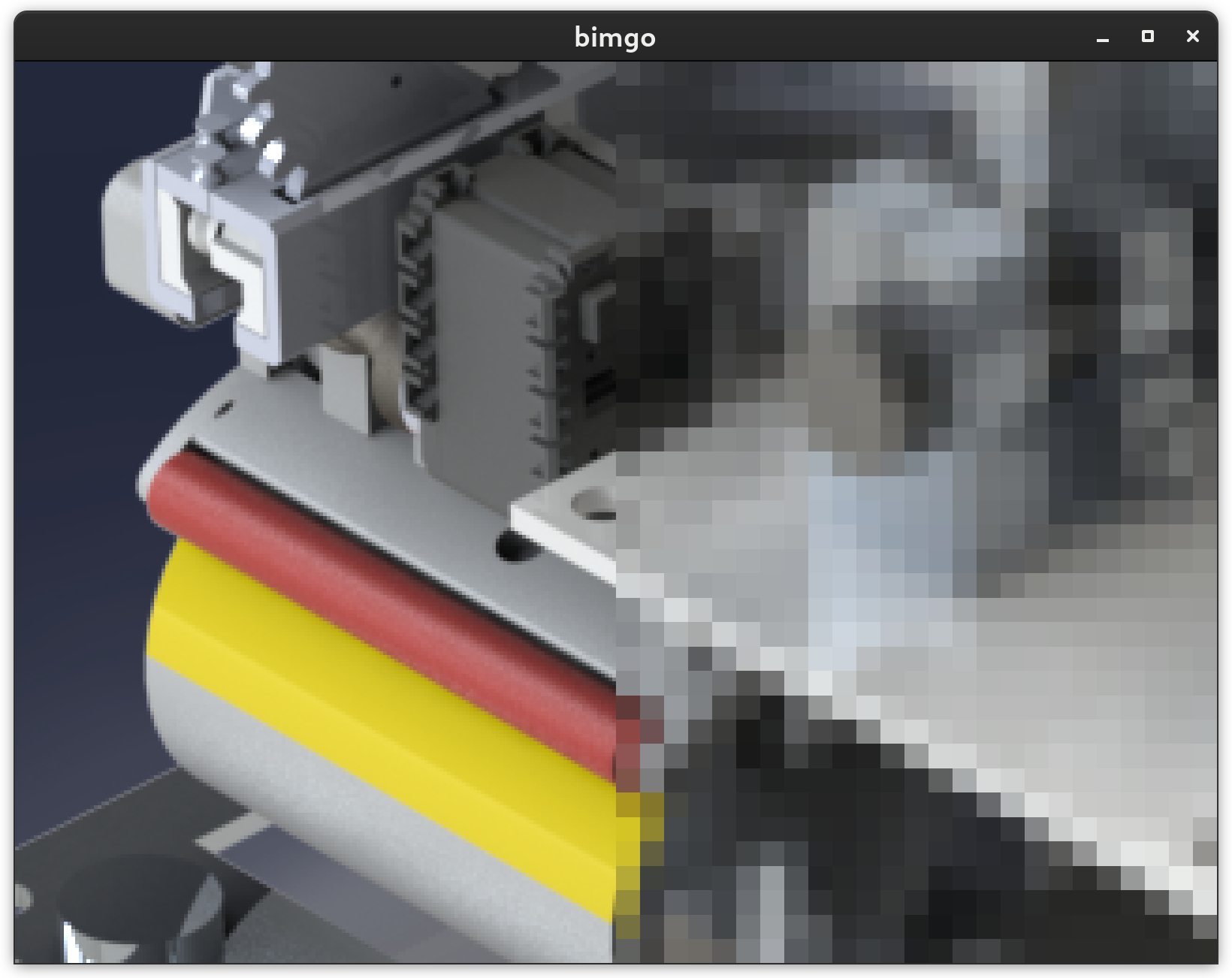
With the help of those tools, bimgo will process the images in separate threads in batch and present the image to the user. For each image, the user has the ability to view the results of every command, and select the best to replace the original on disk. To help perform inspection, the user may move the image, and zoom in or out.
Initially the goal was to make a batch image compressor, but since it follows the unix philosophy of doing only one thing, relaying the "compressor" part to external software, it can perform any kind of image processing using the command line processor of your choice.kk The benefit compared to other batch image processing tools, is that every image is validated and tuned by the user, quickly and efficiently. The batch processing will be slower than blindly entering a command, but the user is able to quickly confirm that the results are as expected, and tune them on the fly. The focus is on efficiency.
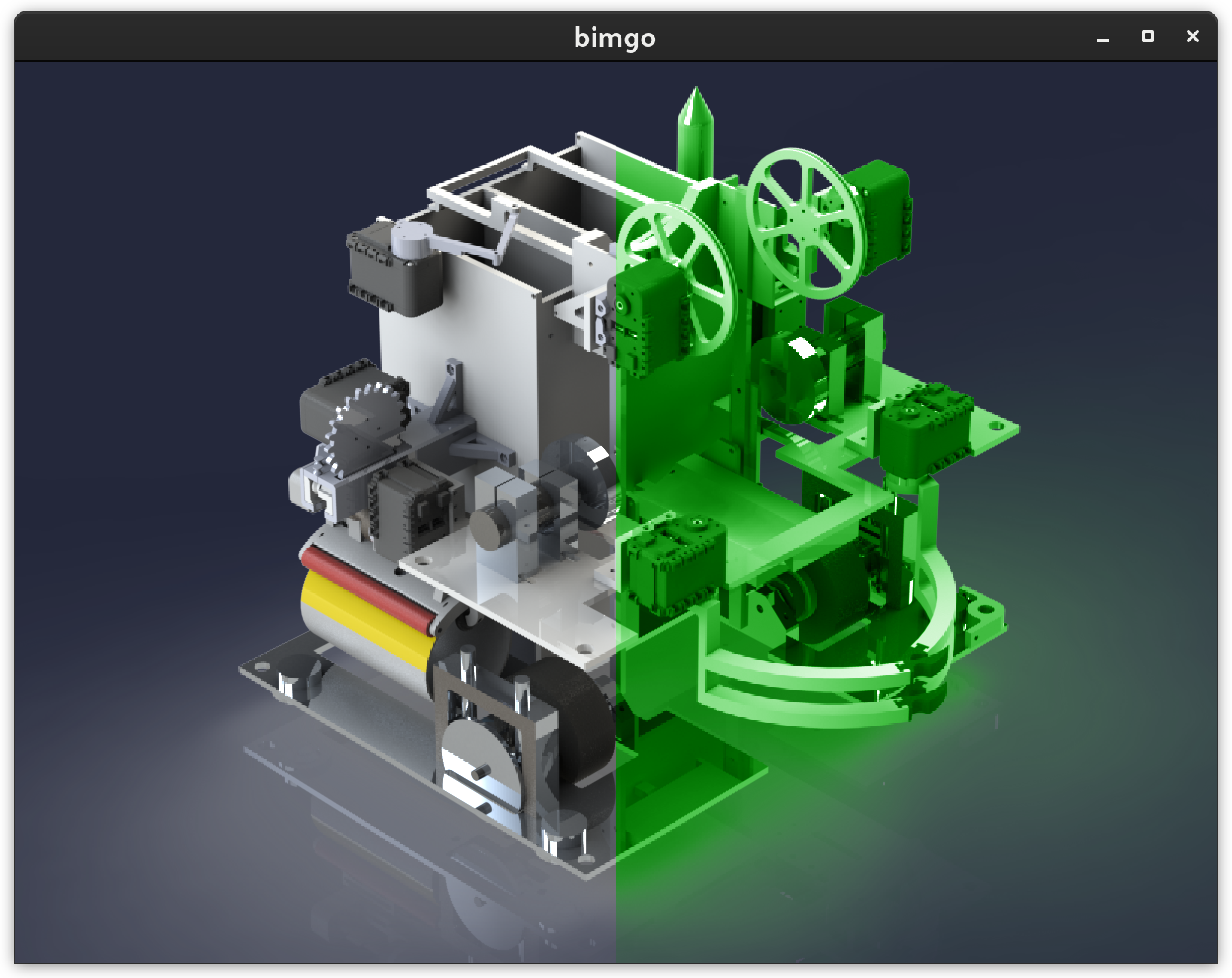
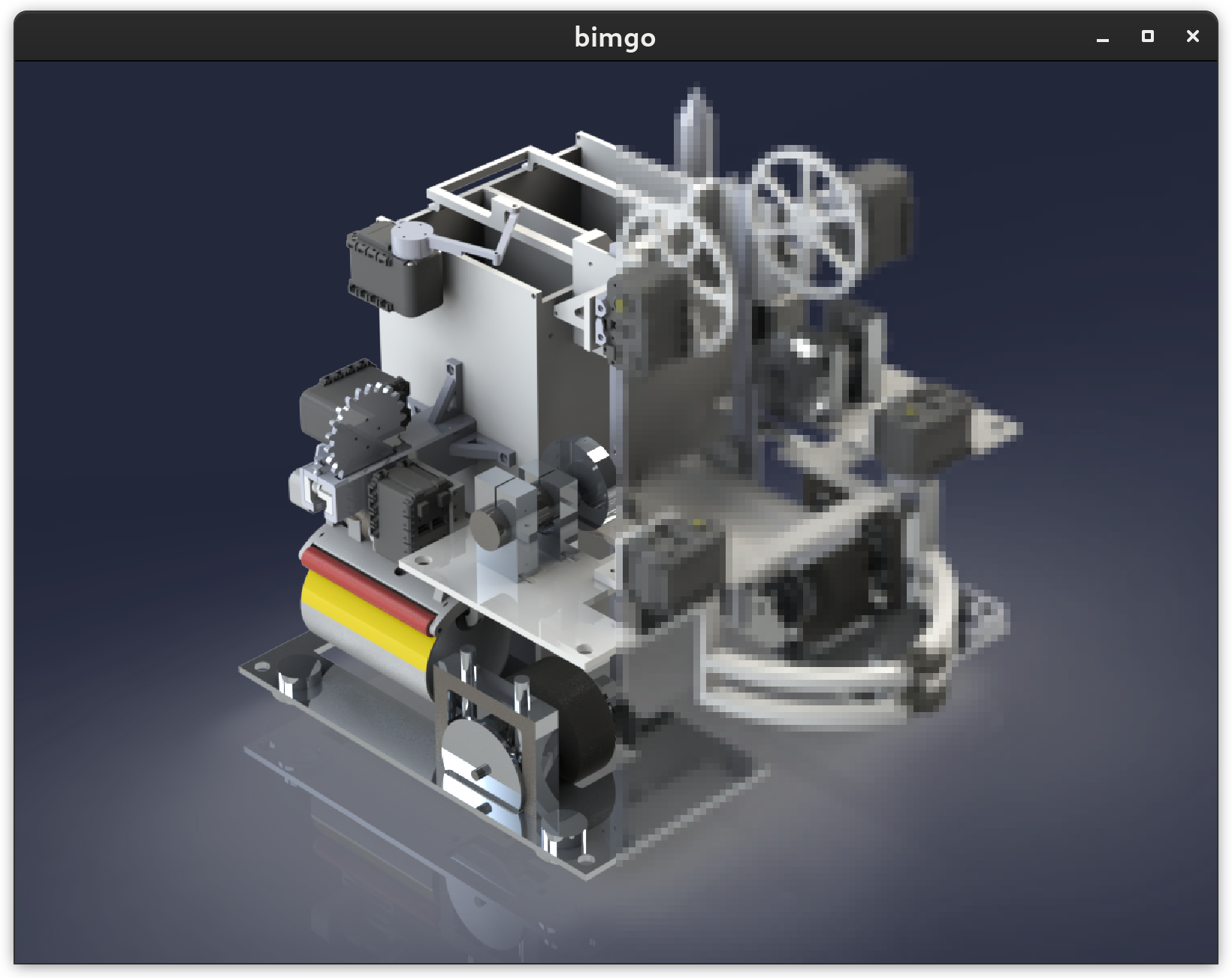
- Original and result displayed side by side, either duplicated, or as a continuous image with a split between original and processed (see screenshots)
- Controlled using keyboard bindings for efficiency.
- Multi-threadhing for image processing increases interface responsiveness.
- Ability to switch between processing commands on the fly (user defined list in configuration folder, or via argument provided file). This allows for instance, to have several compression levels and switch between them quickly for comparison.
- (yes) Image can be moved and zoomed. (almost done) The mouse input can be used to quickly check different parts of the images while zoomed in if enabled.
- (feature present but right now, identical names are overwritten, which is bad) When processing is validated, original image is kept in a separate folder (a trash basically) as a safety measure. It is copied before being replaced. Emptying the trash is the responsability of the user.
- (not yet)List of files are piped to stdin, so that
find,fd-find, or any other command can be used to filter which files to process. - (not yet) Ability to configure geometry and position of the window on openning, if your window-manager allows it. Both position and geometry can be specified as absolute or relative (to the screen size) values.
- Follows unix philosophy by doing only one thing, displaying images and their processing results and allows user to validate, change, or discard results. External tools must be used to perform processing and to feed the list of images (e.g.
findorfd, imagemagick, ...).
- Be efficient. The whole point of this program is to allow simple batch image processing efficiently.
- Be safe. A command that has an effect on a potentially large number of files is potentially dangerous. While this is mittigated here by the image by image validation, it would be unwise to permanently delete the image as soon as the user presses a key (potentially accidentally) or exits the program. This is circumvented with a very innovative feature called trash. Deleting the original picture from the trash is a manual user operation.
- Be well coded. That's a goal irrelevant for the user. But as a learning experience for me, I'd like the code to improve over time. I know it isn't pretty right now as my initial goal was to quickly have something that works.
Key bindings are not yet customizable. They are configured as follows
| Key | Function |
|---|---|
| h | Move left |
| j | Move down |
| k | Move up |
| l | Move right |
| f | Toggle full screen |
| o | Zoom in |
| i | Zoom out |
| ; | Next image |
| , | Previous image |
| n | Next command |
| p | Previous command |
| space | Validate image |
| u | Cancel validated image |
| q / ESC | Quit program, validated images are kept |
There are many features that I would like to add to the program. I keep a list in the source code of what I would like to the program to be able to do. However, for most people, including me, this is the kind of program that is only used every once in a while. Therefore, once it will have reached a useful state, I will probably not work much more on it besides adding some of the easier functionnalities, unless I see that other people find it useful.
bimgo uses SDL2 library and its rust bindings for everything related to display and user interface. Any external application may be used to perform the processing as long as a processing command can be written with it in the format expected by bimgo.
The idea for this software came from mannaging files and folders inside cloud storage. While trying to store many old files, I realized I had a lot of folders containing pictures that take up a lot of place and are often not optimized for size. I wanted to compress them in batch, which is already possible, however, the batch processing tools that I found do not show the result. Every image is different, some compression levels might be ok for some pictures and not ok for others. Hence the reason for this software. All in all, this is a classical case of "Doing this would take me tens of hours, let's spend weeks writing a software to make it more efficient, so that I can achieve the same work in a fraction of the time!". I also needed a project to improve my software programming skill, as I am more used to C than Rust, and more for embedded developpment than for graphical application. By the way, every constructive criticism on the source code will be appreciated.
Here are some known limitations.
To complete
To use the program, the user must first create a configuration file in ~/.config/bimgo/bimgo.toml (see configuration section) and a file with a list of command to be used in ~/.config/bimgo/cmds.
The command file must be a list of commands in the following format:
magick %i -colorspace gray -fill green -tint 100 %o
It can be any command, and the user must specify the input file and output file arguments location with %i and %o. Bimgo will perform the processing commands in the same order as in the file.
With both requirement complete, the user may use the program of its choice to feed a list of image files to process to bimgo through stdin. For example using fd :
/!\ WARNING: once you are in the program, as soon as you validate an image, it is moved to trash and replaced by the selected processed version. Pressing undo will change it back, but it is not entirely risk free. Especially right now, two imges with the same name will overwrite themselves in the trash.
fd .jpg | bimgo
Now all that is left to do is to choose which images you want to delete.
The configuration file is a simple TOML file, located by default at ~/.config/bimgo/bimgo.toml. The following is an exhaustive list of the available configuration.
processing_directory = "/tmp/"
trash_directory = "~/.local/share/bimgo/trash"
display_mode = "Continuous" # Continuous, Duplicate
source_position = "Left" # Left, Right, Top, Bottom
fit_mode = "FitBest" # FitWidth, FitHeight, FitBest, Fill, KeepZoom, ClearZoom, NoFit
padding = 3
move_mode = "Image" # Image, ViewThe directory where all the temporary files processed by the commands will be stored. The default is the /tmp directory mainly because on many systems, it is mounted in the ram, which is ideal because it avoids using the disk for files that will likely be deleted anyway, also I hear ram is pretty fast.
The reason there is a separate setting is, once again, that the default (and most logical) for processing_directory is /tmp which is usually mounted on the ram. Contrarily to temporary processing files, trashed files should not be cleared on system reboot. So it makes sense to have them in another folder, mounted on disk (or more likely SSD).
Wether to display the original and processed image as one continuous image split in the middle or as two a duplicates side by side.
Where the original is placed on screen. Can be Left, Right, Top, Bottom.
How the image is adjusted to screen when it is first displayed. Following options are available
| Value | behaviour |
|---|---|
| FitWidth | Image width will be set to canvas width |
| FitHeight | Image height will be set to canvas height |
| FitBest | Either FitWidth or FitHeight chosen in as such to view the whole image |
| Fill | Either FitWidth or FitHeight chosen as such to fill the canvas without empty space |
| KeepZoom | Not yet implemented |
| ClearZoom | Not yet implemented |
| NoFit | Not yet implemented |
Padding to place between the images. Actual padding will be twice this value in pixels.
Whether to move the image or the view (i.e. invert the motion). Not yet implemented.
There are a few command line arguments that can be passed to bimgo. They are described here :
Here are a some screenshots of the app in use.
Original on the left, image processed with the command magick %i -colorspace gray -fill green -tint 100 %o on the right.
Original on the left, image reduced scaled down on the right. This demonstrate the compression use case, here we clearly see that there's too much compression.
If however it is not obvious (unlike here) we can zoom on the image to compare details.
Here is the list of amazing libraries used by bimgo:
This is my first real project using rust, and also my first project using SDL2. And I am more accustommed to embedded microcontrollers programming. This means that the software is probably not optimally written, so I would be more than happy to be thaught a lesson by more experienced programmers. Feel free to send feedback (positive or negative). If you would like to improve the source code, feel free to contact me as well. I am also new to open-source software management on github, and I have no idea if anyone would actually want to contribute, so I will learn what needs to be learned along the way, if needed.