Lightning DXPR is a sub-profile of Acquia Lightning that installs our DXPR Theme and DXPR Builder products, giving you our state-of-the-art marketing Drupal tools integrated with Acquia's Lightning features. More info about Lightning:
-
To access
dxpr/dxpr_builderpackages, you need to to have an active subscription at DXPR.com. You can find your token here: https://app.dxpr.com/download/all#token. This token is unique to your DXPR.com account and should be kept secret, like a password. -
Make sure composer is at version 1.10 or higher
-
Configure the access token:
$ composer config --global bearer.packages.dxpr.com <access_token>$ composer clearcache
$ composer create-project dxpr/lightning-dxpr-project EXAMPLE_DIRECTORYContinue instructions at https://github.com/dxpr/lightning_dxpr
This means your composer web token was not installed successfully. Please verify that your token is installed by running the following command:
cat ~/.composer/auth.json
The output should look similar to this: https://app.dxpr.com/sites/default/files/verify-composer-dxpr.jpg
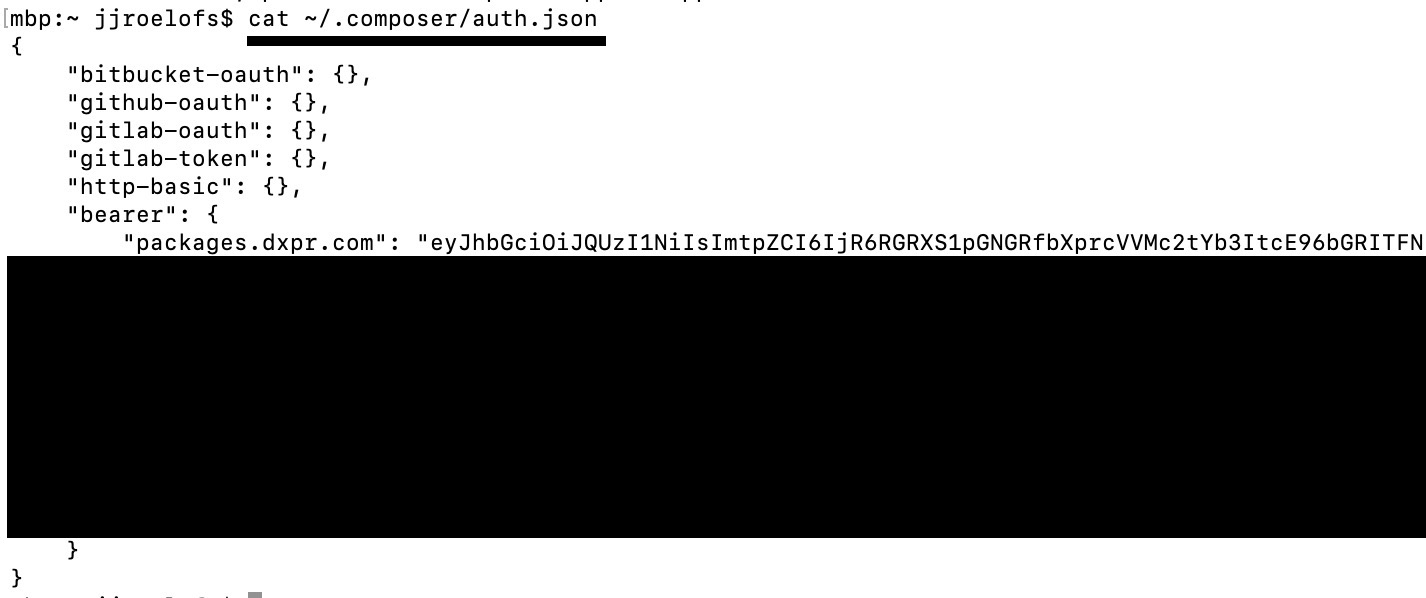
You should install the token in the user folder of the user you use to run composer install.
- Composer installation requires a lot of resources, try (temporarily) upgrading your cloud or VPS machine to at least 4GB of memory and 4 vcpu. The more the merrier.
- Make sure your PHP memory limit is set to "-1" during installation. Documentation: https://getcomposer.org/doc/articles/troubleshooting.md#memory-limit-errors
If composer reports curl or some other PHP extension is missing you have to install this extension:
$ apt-get install php-curlOn a fresh Ubuntu or Debian machine you may need to run the following commands:
a2enmod rewrite;apt-get install php-curl;apt-get install php-dom
Replace 7.4 with the PHP branch you are using.