An IntelliJ IDEA/PhpStorm plugin that provides code completion, navigation, and IDE integration for CakePHP framework projects.
The plugin understands CakePHP's conventions and provides navigation between MVC components, autocompletion for framework-specific patterns, and type resolution for view variables.
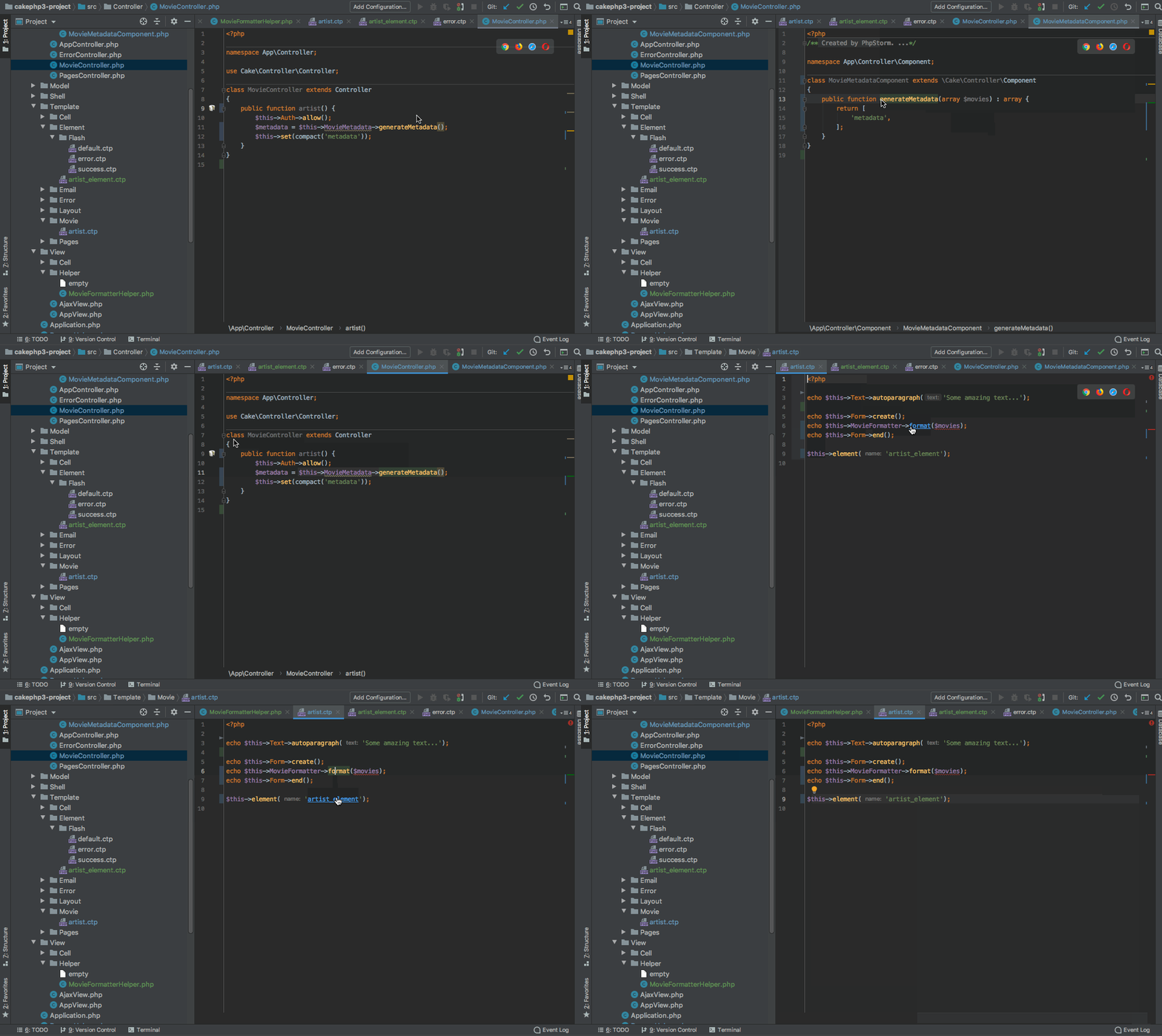
- MVC Navigation: Navigate between controllers, views, models, components, and helpers using keyboard shortcuts or gutter icons
- Code Completion: Context-aware completion for CakePHP-specific methods, properties, and conventions
- View Variable Type Resolution: Resolves and provides type hints for variables passed from controllers to views
- Framework Version Support: Supports CakePHP 5, 4, 3, and 2 (CakePHP 2 disabled by default)
- Create view files from controller actions using the gutter icon menu
- Support for multiple view formats (PHP, JSON, XML) with configurable data view types
- Navigate from controller actions to their corresponding views
- Navigate back from views to controllers using
Ctrl+Alt+Shift+Home(Windows/Linux) orCtrl+Cmd+Shift+Up(Mac) - Autocompletion for variables set in controllers when working in view files
- Navigate to and autocomplete custom finder methods in models
- Component suggestions in controllers
- Complete and navigate to view helpers in views and other helpers
- Support for helper-to-helper references and completion
- Navigate to element files from
$this->element()calls - Jump to template files from render calls
- Navigate to CSS/JS files from asset method calls
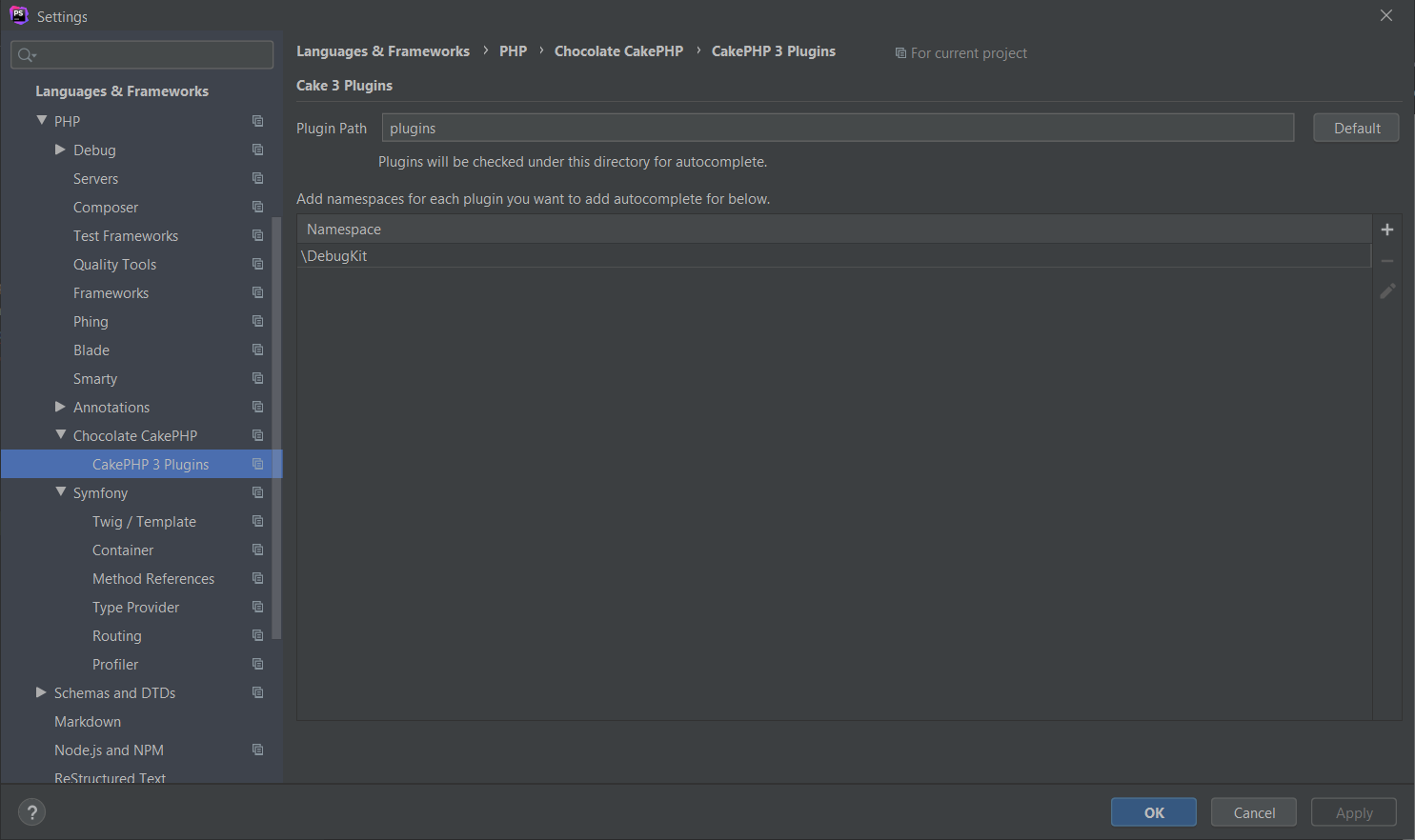
- Support for CakePHP plugins with configurable paths
- Navigate between themed views and base views
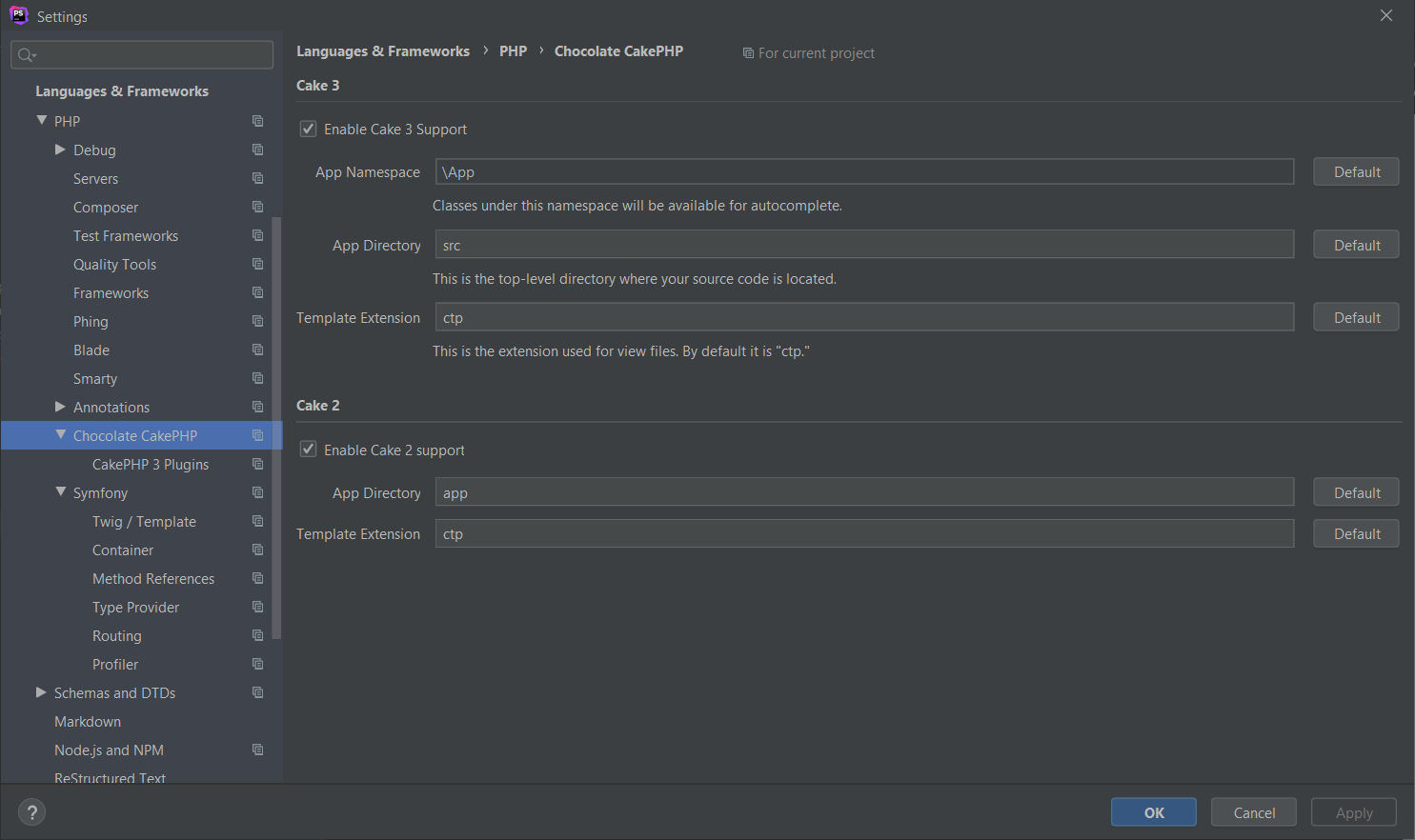
The plugin detects CakePHP projects and enables features based on the framework version detected. Configuration options include:
- App namespace configuration and CakePHP version selection
- Custom plugin paths for your project
- Theme directory configuration
- Custom data view formats (RSS, CSV, etc.) in addition to JSON/XML
You can install it from the plugin page on the JetBrains Marketplace
- Open PhpStorm/IntelliJ IDEA
- Go to Settings/Preferences → Plugins
- Click on Marketplace tab
- Search for "Chocolate CakePHP"
- Click Install
- Restart your IDE
- Download the latest release from the releases page
- Go to Settings/Preferences → Plugins
- Click the gear icon → Install Plugin from Disk...
- Select the downloaded plugin file
- Restart your IDE
- Open a CakePHP project in PhpStorm/IntelliJ IDEA
- The plugin detects the CakePHP version and enables appropriate features
- Verify configuration in Settings → PHP → Frameworks → CakePHP
- Use
Ctrl+Click(Cmd+Click on Mac) to navigate between MVC components - Look for cake icons in the gutter for available actions
| Action | Windows/Linux | macOS |
|---|---|---|
| Navigate Controller → View | Click gutter cake icon | Click gutter icon |
Ctrl+Alt+Shift+Home |
Ctrl+Cmd+Shift+Up |
|
| Navigate View → Controller | Click floating cake icon in toolbar | Click floating cake icon in toolbar |
Ctrl+Alt+Shift+Home |
Ctrl+Cmd+Shift+Up |
|
| Create View from Controller | Click gutter icon | Click gutter icon |
| Ctrl+click gutter when view exists | Cmd+Click gutter icon when view exists | |
| Navigate to element | Ctrl+B on element name | Cmd+B on element name |
| Ctrl+click on element name | Cmd+Click on element name |
| Plugin Version | CakePHP Versions | PhpStorm Version | IntelliJ IDEA |
|---|---|---|---|
| 1.0.0 | 5.x, 4.x, 3.x, 2.x* | 2024.2.6+ | 2024.2.6+ (Ultimate) |
| 0.9.x | 5.x, 4.x, 3.x, 2.x* | 2022.1+ | 2022.1+ (Ultimate) |
*CakePHP 2 support is disabled by default but can be enabled in settings
Contributions are welcome. For major changes, please open an issue first to discuss the proposed changes.
You can develop this plugin using either:
- IntelliJ IDEA Community Edition (free)
- IntelliJ IDEA Ultimate Edition
Note: While the plugin provides features for PhpStorm users, you only need IntelliJ IDEA (Community or Ultimate) to build and develop the plugin itself.
The Swing UI Designer plugin is required to build this project. Without it, the .form GUI files will not compile correctly and the plugin's settings dialogs will hang.
Installation:
- In IntelliJ IDEA, go to Settings/Preferences → Plugins
- Click on Marketplace tab
- Search for "Swing UI Designer"
- Install the plugin from: https://plugins.jetbrains.com/plugin/25304-swing-ui-designer
- Restart IntelliJ IDEA
This plugin enables proper compilation of the configuration UI forms located in src/main/java/com/daveme/chocolateCakePHP/*.form.
- JDK 21 or higher - Required to build the plugin
- OpenJDK, Oracle JDK, Azul Zulu, Eclipse Temurin, Amazon Corretto, or other JDK distributions are supported
- Set
JAVA_HOMEenvironment variable to your JDK installation path - The Gradle wrapper handles Gradle itself - you only need to provide the JDK
- Swing UI Designer plugin - See Prerequisites section above
- Clone the repository
- Open the project in IntelliJ IDEA (Community or Ultimate)
- Run
./gradlew buildPluginto build the plugin - Run
./gradlew runIdeto test in a sandboxed IDE instance
Ensure JDK 21+ is installed and JAVA_HOME is set:
./gradlew testSee CHANGELOG.md for version history and changes.
Report bugs or request features in the issue tracker.
This project is licensed under the GNU Lesser General Public License v3.0 or later (LGPL-3.0-or-later) since v1.0. Previous versions were licensed under the MIT license.
See LICENSE and COPYING for the full license text.
The file src/main/kotlin/com/daveme/chocolateCakePHP/Inflector.kt is licensed
under the MIT License. It is a derivative work from CakePHP framework code.
See the file header for details.