End to end demo showing using AMEX Express Checkout with Vantiv eProtect and Vantiv's eCommerce platform.
A resource page for developers is available at https://developer.vantiv.com/community/mobile/amex-express
You may need to create a login on https://developer.vantiv.com to access the AMEX documentation.
If you want to this code interactively, it is hosted at this URL: https://e42fb64d.servage-customer.net/vantiv/aec_demo
Enter a test credit card to simulate processing against Vantiv's eCommerce platform or make a payment using a test card stored in the AMEX Express Checkout wallet.
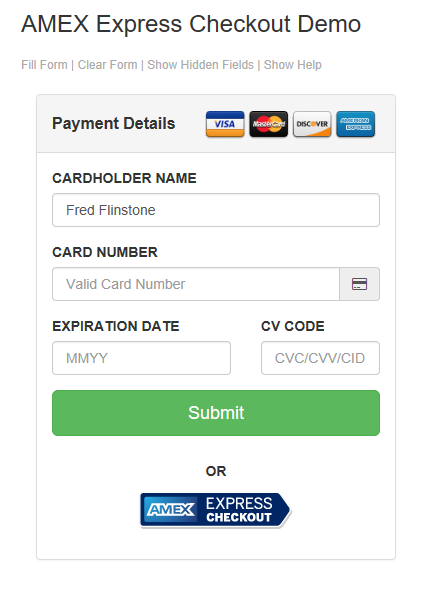
This demo operates against the AMEX Express Checkout QA environment and the Vantiv eCommerce pre-live environment and illustrates how eProtect can be used to facilitate both traditional card payments and wallet transactions. Please do not use real card numbers.
- Click the Fill Form button or manually enter a suitable test card
- Click Submit to perform a traditional eProtect transaction. The hidden fields will be so you can expect values returned by the eProtect service
- Click Authorize Card Transaction to POST payment details to the web server and monitor to Vantiv eCommerce Authorization transaction
- Ignore the Payment Details section and click the AMEX Express Checkout button
- When presented with the AEC wallet login screen use the following test credentials: aectest3 / aectest
- Select a card in the wallet and proceed and use it to make the payment
- Hidden fields retrieved from AMEX will be exposed via the website (normally a consumer would not see these fields)
- Scroll down to the bottom of the screen and Authorize a payment to pass the information the Vantiv's front end
- The following screen will show the resulting interaction with Vantiv's eCommerce environment